Completing a lesson and releasing your payout
The money is held until the lesson is confirmed complete. Learn who must confirm, how long to wait, and what to do when the student does not respond.
A student pays before the lesson, but you are only paid once the lesson is confirmed complete. This protects students from paying for a lesson that never happened, and it is how you are protected too.
Mark the lesson complete
After the lesson, open it from My Bookings and press the tick-in-a-circle button (Mark complete), then Mark complete again in the window to confirm.
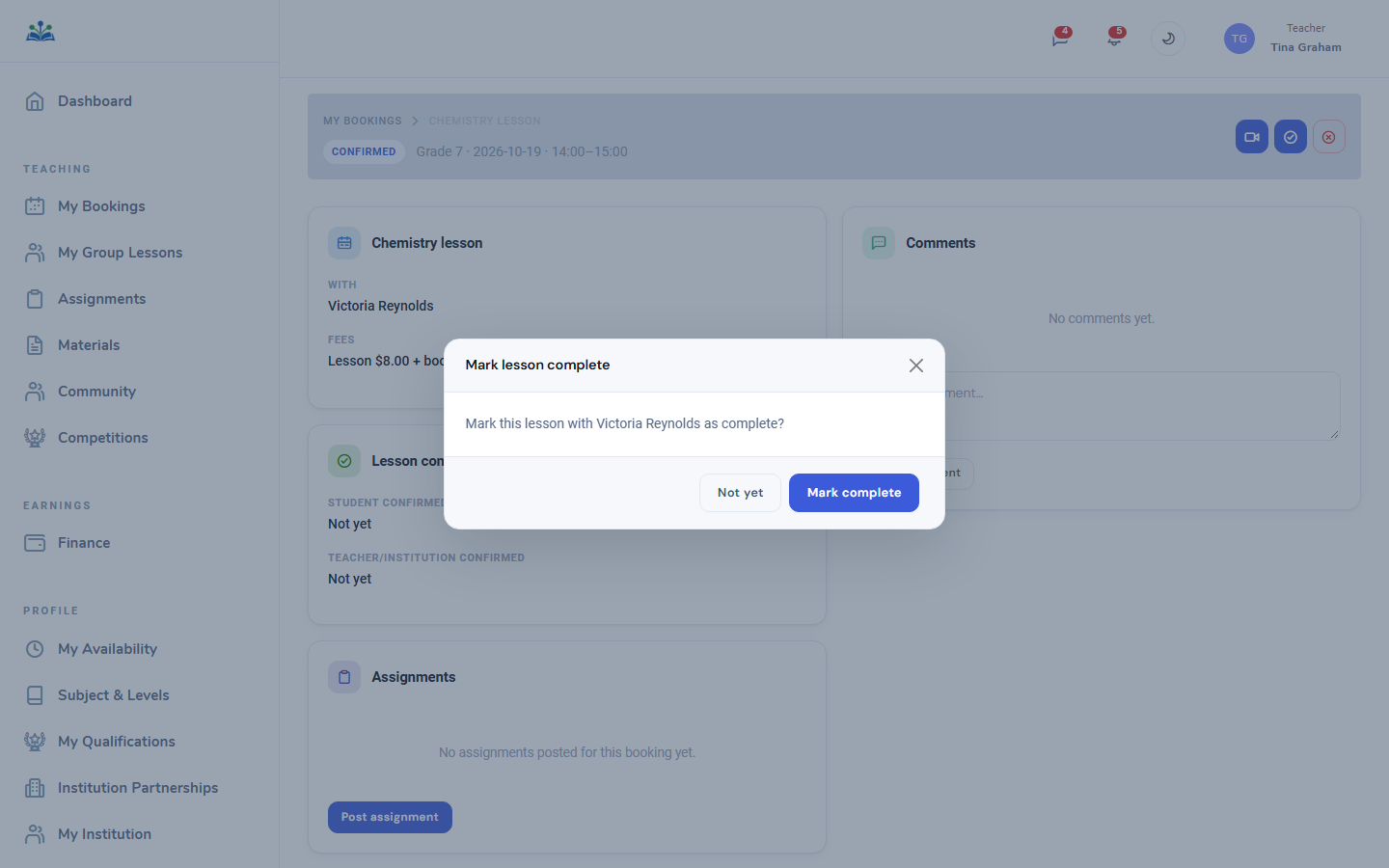

The Lesson completion box shows two lines: STUDENT CONFIRMED and TEACHER/INSTITUTION CONFIRMED, each Not yet or the time it was done.
Who has to confirm?
Administrators choose one rule for the whole platform:
| Rule | When you are paid | What you see |
|---|---|---|
| Both student and teacher must confirm (default) | Once the student and you have both confirmed. | Both lines in the box; confirm your side. |
| Only the student confirms | When the student confirms. | You have no button; your job is to teach. |
| Only the teacher confirms | The moment you confirm. | Confirming releases your payout at once. |
When the student does not confirm
If a confirmation you need is still missing a number of hours after the lesson's scheduled end (48 hours by default), a Request payout release box appears on the booking.

- Open the booking. The message says: "The student hasn't confirmed this lesson yet, and the wait window has passed. You can ask an admin to release the payout manually."
- Write a reason (optional but helpful), for example "Lesson held as planned, student has not responded."
- Press Request payout release.
An administrator then reviews your request. If they approve, the payout is released straight away and commission is taken as usual. If they reject, it stays held and you are told.
Example: the default rule, student never confirms
Assumptions: lesson Saturday 10:00 to 11:00; rule Both; wait 48 hours; lesson fee $10.00; commission 10%.
| When | What happens | Your available balance |
|---|---|---|
| Saturday 11:00 | The lesson ends. The student's money is held. | $0.00 |
| Saturday 11:05 | You press Mark complete. Nothing is released yet: the student has not confirmed. | $0.00 |
| Monday 11:00 | 48 hours have passed. Request payout release appears. | $0.00 |
| Monday 11:30 | You press it and give a reason. | $0.00 |
| Monday 14:00 | An administrator approves. | $9.00 ($10.00 less $1.00 commission) |
And when the student does confirm, the same lesson is much quicker:
| When | What happens | Your available balance |
|---|---|---|
| Saturday 11:05 | You confirm. | $0.00 |
| Saturday 20:00 | The student confirms. Both sides done, payout released. | $9.00 |
Tip
Confirm promptly. If the platform needs both of you, the sooner you press Mark complete, the sooner your payout is ready the moment the student presses theirs.
Paid already: the payout line
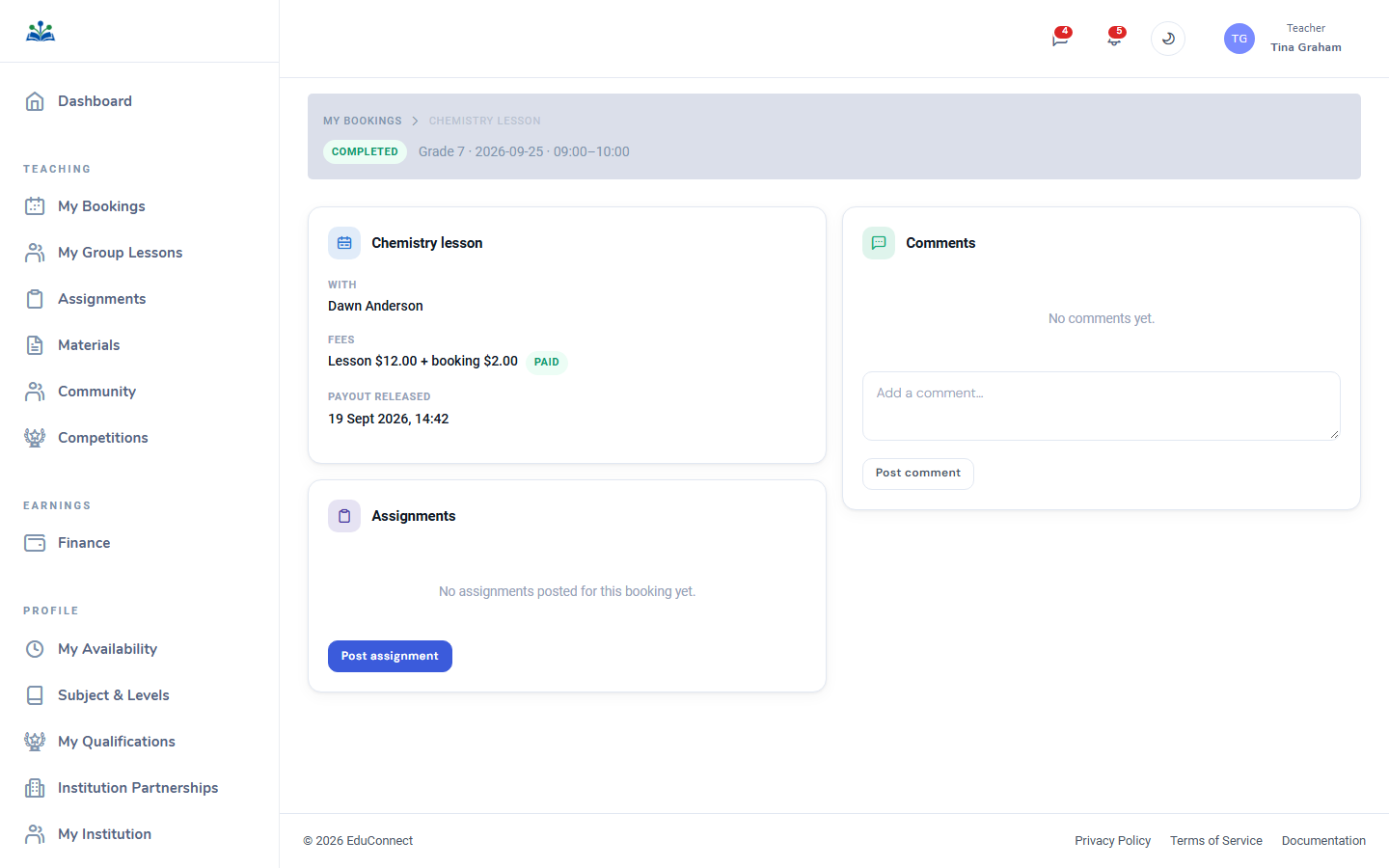
Once released, the booking shows PAYOUT RELEASED with the date and time, and the amount arrives in your available balance (see Finance and withdrawals).
Comments
Log in to read and add comments on this page.
Log in