Qualifications and certificates
Add your degrees, diplomas and certificates so students and administrators can trust you.
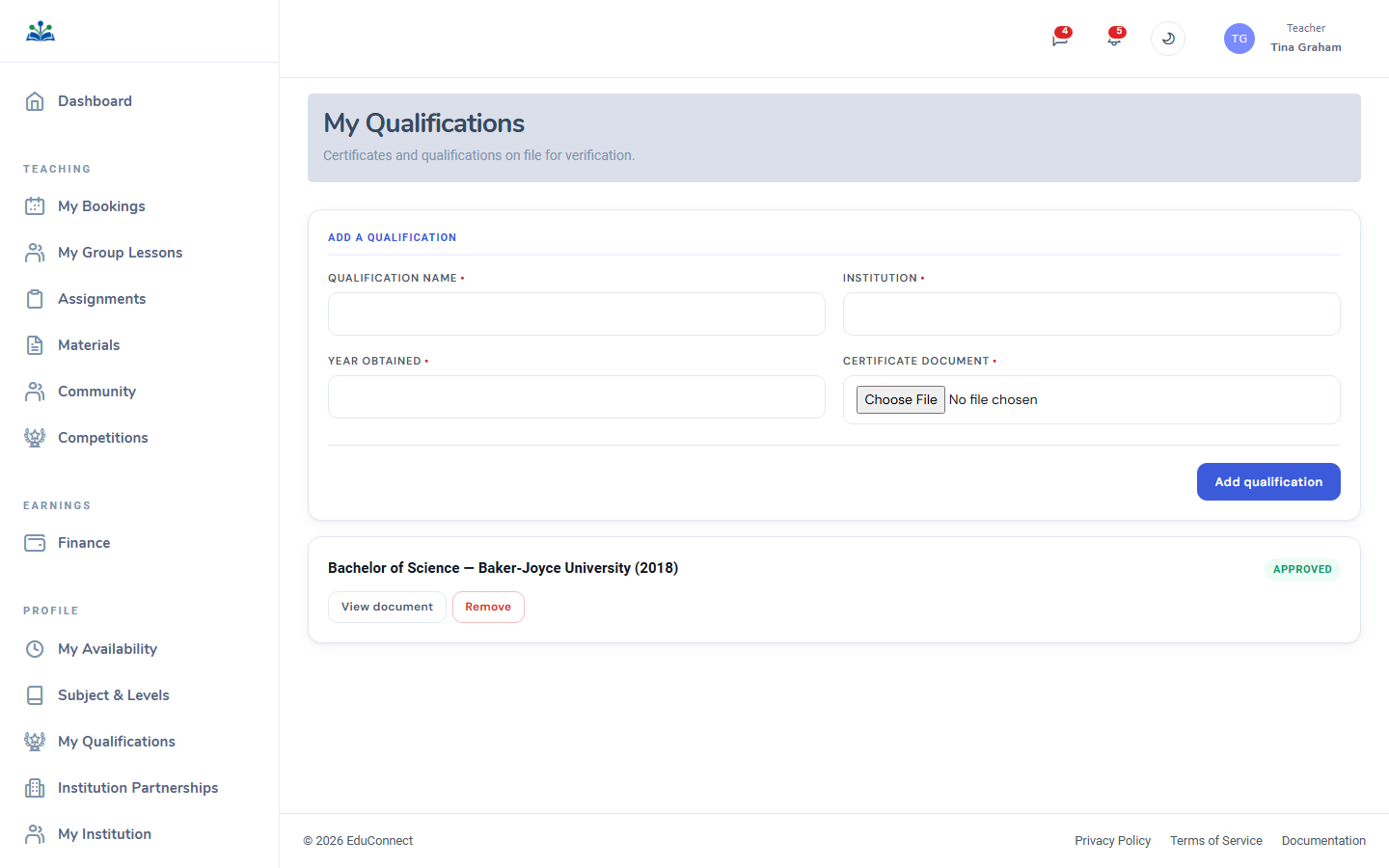
Qualifications are shown to students and checked by administrators.
Add a qualification
- Open PROFILE → My Qualifications.
- Under Add a qualification, type the qualification name (for example Bachelor of Science), the institution, and the year obtained.
- Attach the certificate document (a photo or PDF).
- Press Add qualification.
Each entry shows its own status, for example Bachelor of Science — Baker-Joyce University (2018) with APPROVED, and links to View document and Remove.
| Status | Meaning |
|---|---|
| PENDING | Waiting for an administrator to check the document. |
| APPROVED | Accepted. Students can see it. |
| REJECTED | The document could not be accepted. Remove it and add a clear copy. |
Tip
Qualifications are optional when you first apply, but they make a real difference to students choosing between teachers. Add the ones that prove you can teach your subject.
Comments
Log in to read and add comments on this page.
Log in