Finding your way around
The menu, the top bar, the dashboard and the notification bell.
Once you are approved, the left menu has three groups:
| Menu group | Pages | What it is for |
|---|---|---|
| TEACHING | My Bookings, My Group Lessons, Assignments, Materials, Community, Competitions | Everything to do with lessons and sharing. |
| EARNINGS | Finance | Your balance, withdrawals and payment history. |
| PROFILE | My Availability, Subject & Levels, My Qualifications, Institution Partnerships, My Institution | The details that decide who can book you, and when. |
The Dashboard sits at the top, and your profile opens from your name or picture at the top right.
The top bar
- The speech bubble opens your Messages.
- The bell shows your notifications. The number on it is how many you have not read.
- The moon switches between light and dark.
- Your name and picture open your profile, password and security settings.
The dashboard
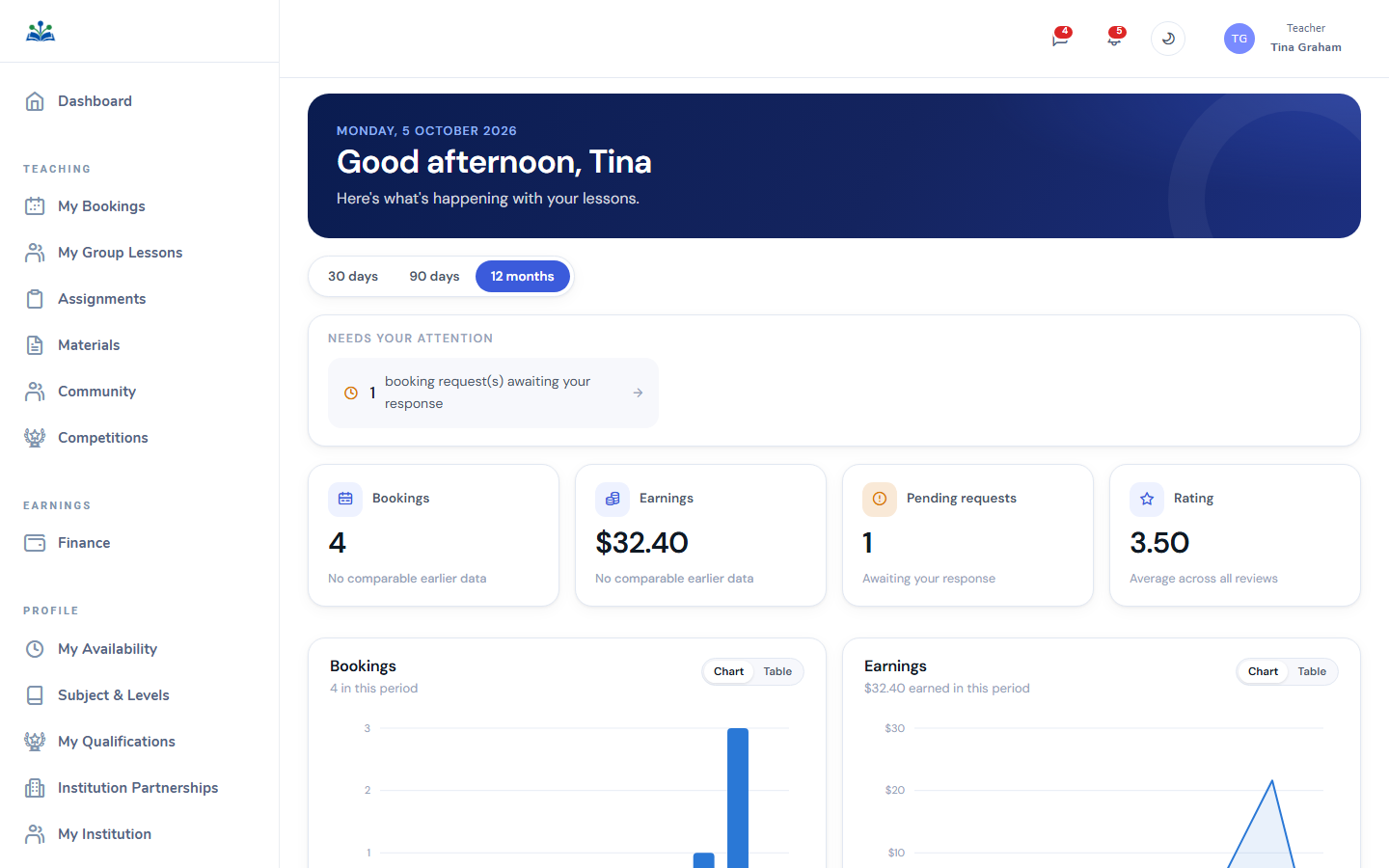
The dashboard answers "what do I need to do today?".
| Part | What it shows |
|---|---|
| Needs your attention | Jobs waiting for you, for example 1 booking request awaiting your response. |
| 30 days / 90 days / 12 months | Changes the period used by the numbers and charts below. |
| Bookings | How many bookings you had in the period, compared with the period before. |
| Earnings | How much you earned in the period. |
| Pending requests | Requests you have not answered. Answer these first: a student is waiting. |
| Rating | The average of the reviews students have given you. |
| Charts | Bookings and Earnings over time. Press Table to see the exact numbers. |
| Money | Your wallet balance right now. |
Note
"No comparable earlier data" simply means you were not active in the period before, so there is nothing to compare with. It is not a problem.
Lists share the same controls
Every list (bookings, materials, communities and so on) has the same controls: a Show box to choose 10, 25, 50 or 100 rows per page, Prev and Next, and a count such as 1-6 of 6.
Comments
Log in to read and add comments on this page.
Log in