Competitions and quizzes
Take part in academic competitions, and create your own with quizzes.

TEACHING → Competitions lists academic competitions: timed contests made of quizzes, with a leaderboard. Each row shows its status (LIVE, ENDED and so on), its dates and its subject. Press View to see it.
Create your own
If your platform allows teachers to create competitions, a My competitions button appears at the top.

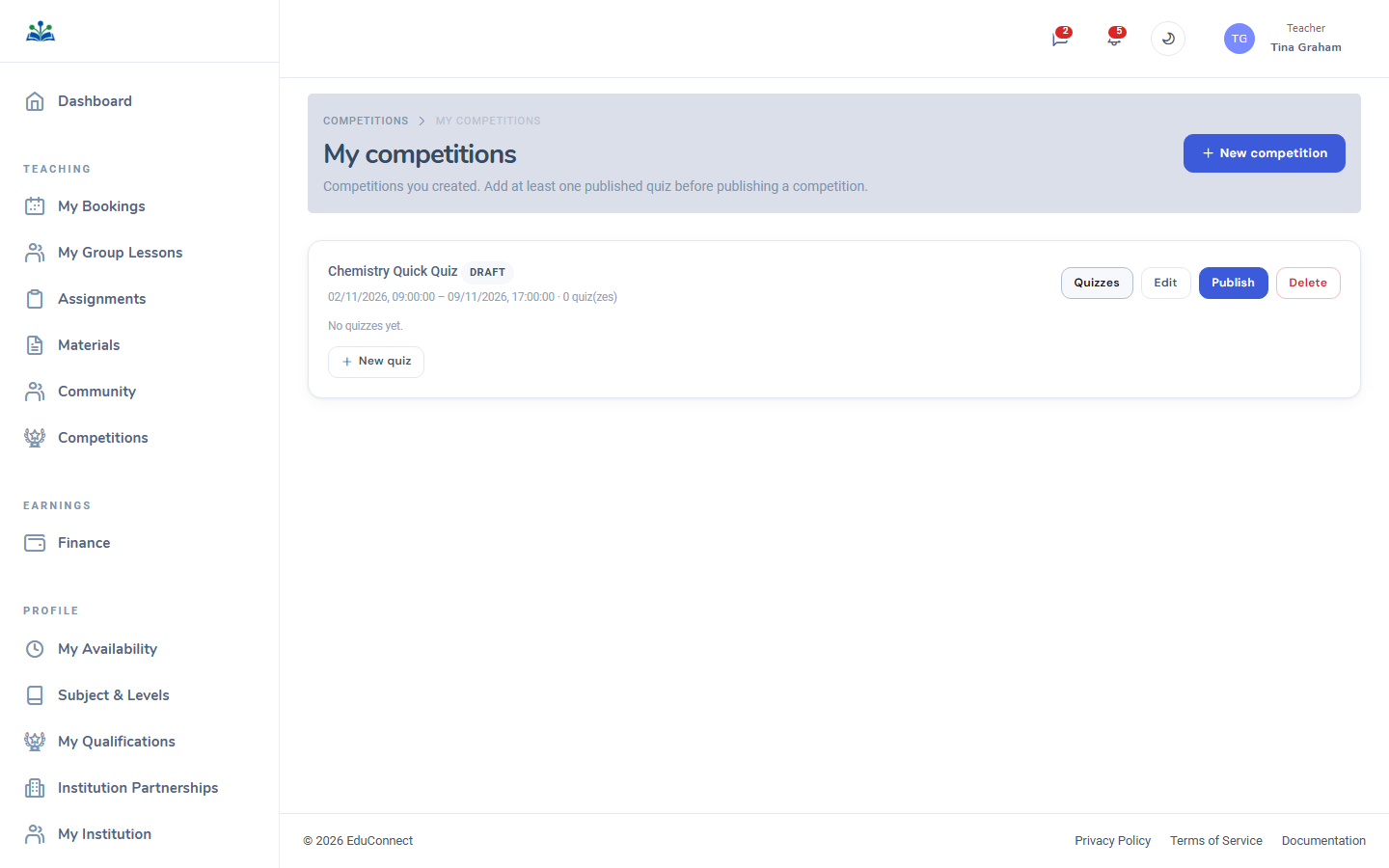
- Press My competitions, then New competition.
- Enter the title, description, the start and end date and time, and press Save. It starts as a Draft.
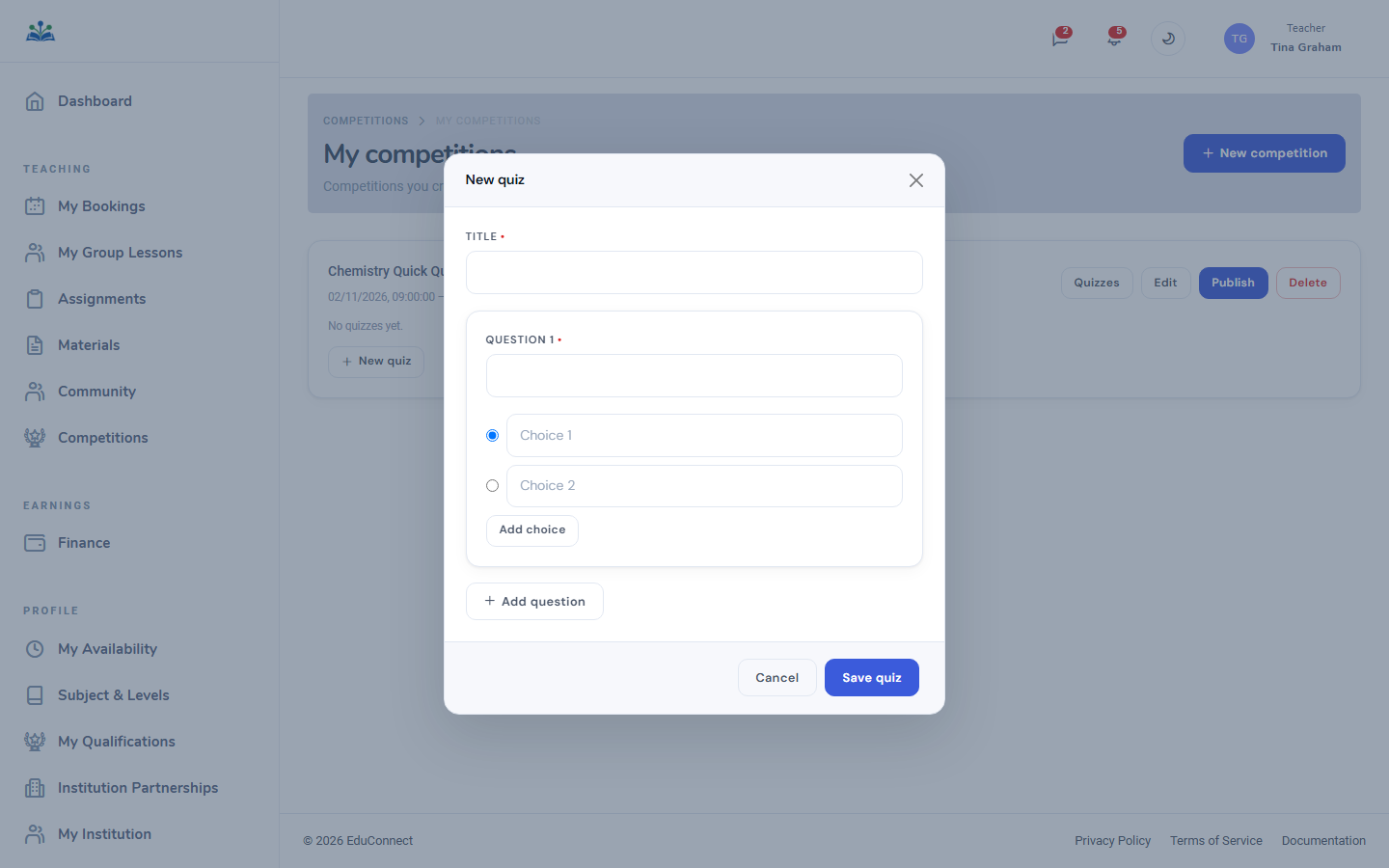
- Press Quizzes on the new competition, then New quiz, and build your questions.
- When you have at least one published quiz, press Publish.

| State | Meaning |
|---|---|
| Draft | Only you can see it. Students cannot. |
| Published | Students can see it. A future competition shows as upcoming. |
| Unpublish | Takes a competition back to draft. |
Note
You can only see and change your own competitions. A competition needs at least one published quiz before it can be published.
Comments
Log in to read and add comments on this page.
Log in