Community: questions, discussion and teacher posts
Join or create a community, post questions, discussions, teacher-led posts and showcases, and keep it friendly.
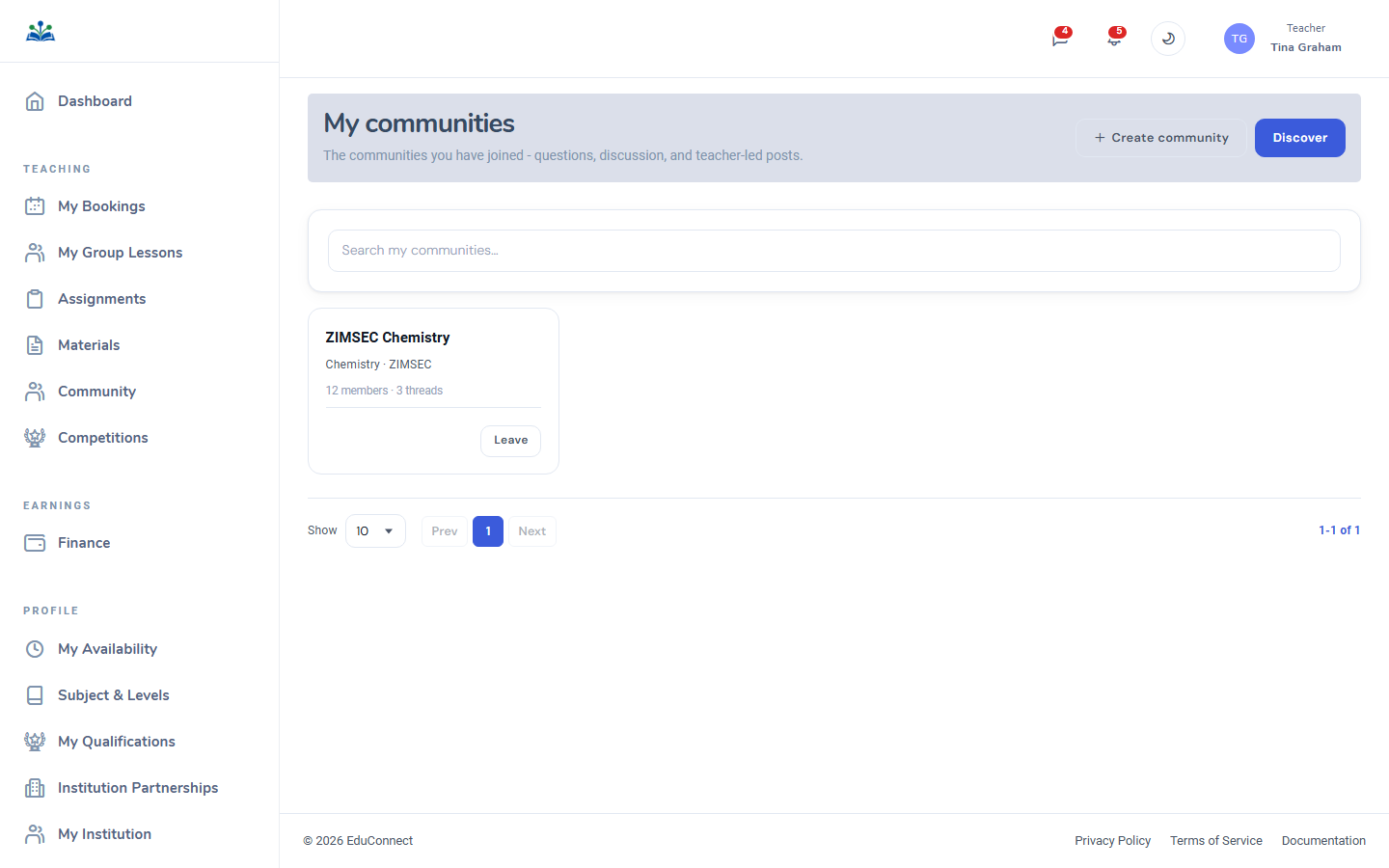
TEACHING → Community is where students and teachers talk about a subject. Each community is tied to a subject, an examination board and sometimes a level, for example ZIMSEC Chemistry.
Join, leave and discover
- My communities lists the ones you have joined, with the number of members and threads.
- Discover lists others you can join.
- Press Leave or Leave community to stop following one.
- Invite lets you bring someone else in.
Create a community
- Press Create community.
- Enter the name, choose the subject, and optionally an examination board and level (Any board, Any level means open to all). Add a description.
- Press Create.

Note
Whether teachers may create communities is a platform setting. If you do not see Create community, ask an administrator.
Inside a community

The feed has tabs for each kind of post:
| Tab | Used for |
|---|---|
| Questions | A student asks something; anyone can answer. |
| Discussion | General conversation. |
| Teacher posts | Teaching content that only teachers and institutions can publish: explanations, tips, worked solutions. |
| Showcase | Work you or students are proud of. |
Post
- Press New post.
- Choose the type, write a title and body, and optionally add an attachment or a video URL.
- Press Post.
The form warns you: "Depending on platform settings, this may need admin approval before others can see it." Open a thread to answer, reply and see the replies. You can report a post that breaks the rules; administrators review reports.
Tip
Answer questions in your own subject. It builds your name with the very students who may book you, and it costs nothing. Do not advertise or send people to other platforms: such posts are rejected.
Users can be blocked if they annoy you: in the app see More → your picture → Blocked users.
Comments
Log in to read and add comments on this page.
Log in