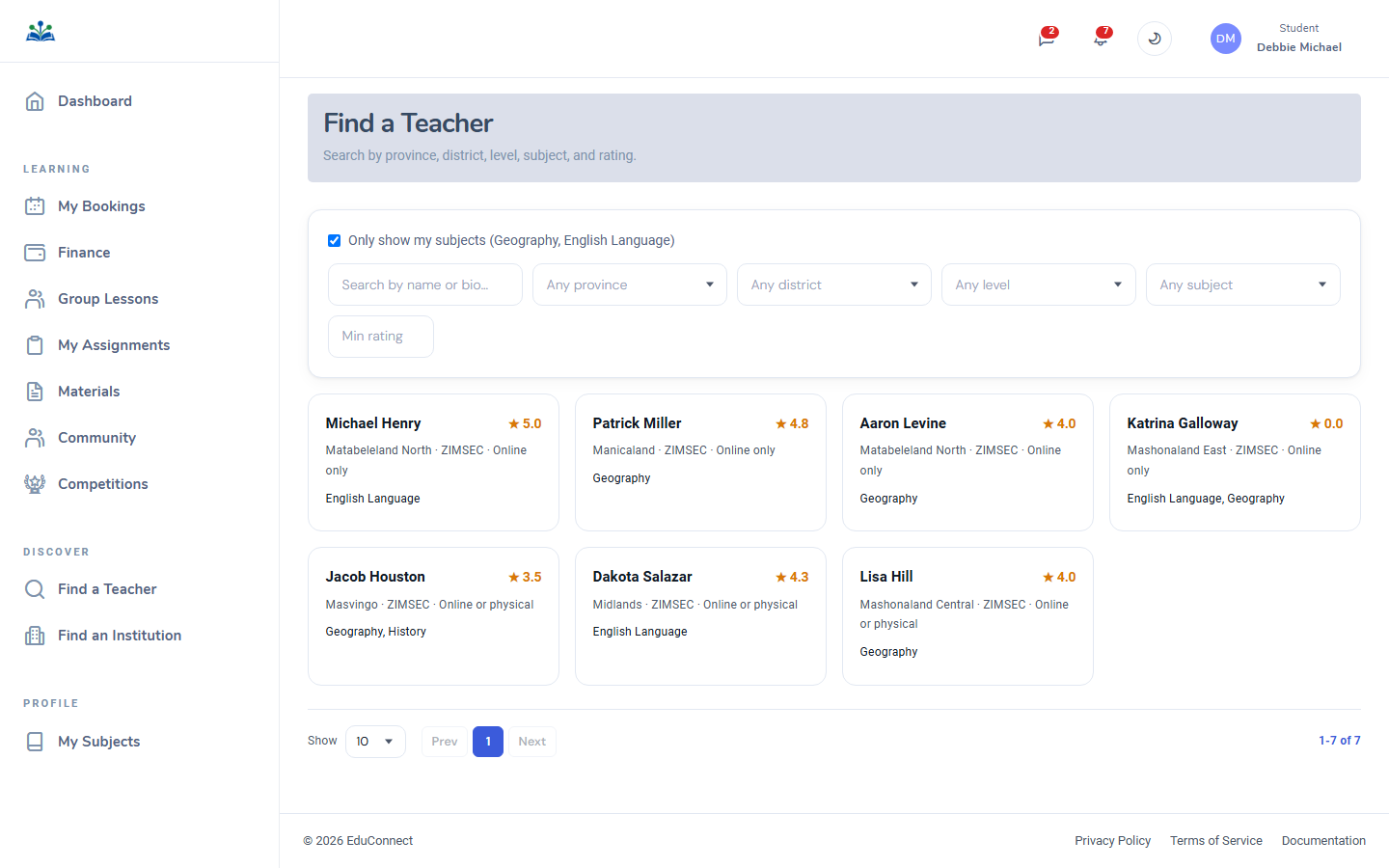
Open DISCOVER → Find a Teacher (in the app, the Teachers tab). Every card shows the teacher's name, star rating, province, examination board, whether they teach online, physical or both, and the subjects they teach.
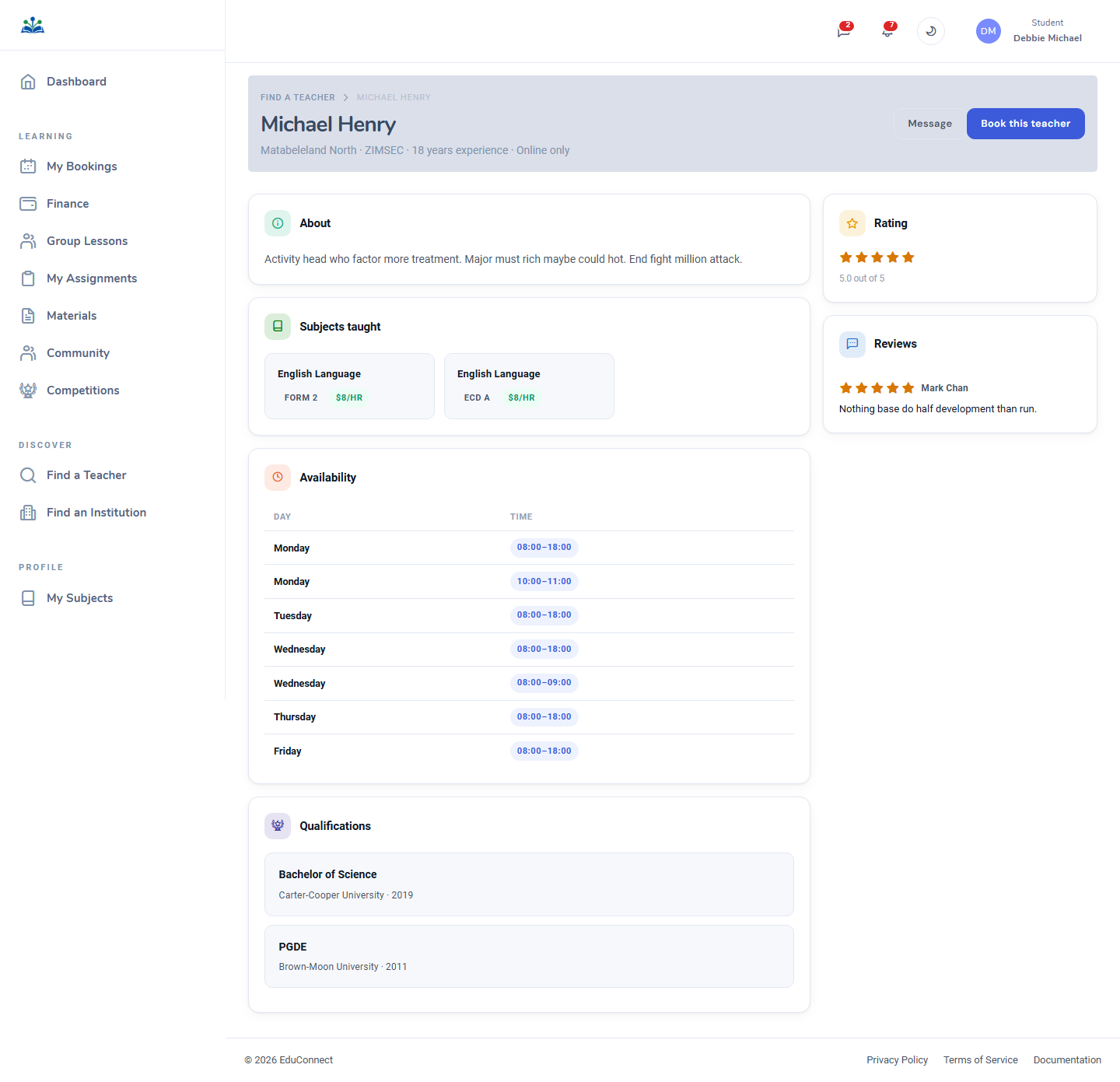
A teacher's page: about, subjects with prices, availability, qualifications and reviews
Section
What it tells you
About
The teacher's own description.
Subjects taught
Each subject and level with its price per hour, for example English Language, Form 2, $8/hr. The price is the platform rate, the same for every teacher.
Availability
The weekly hours the teacher can be booked.
Qualifications
Their degrees and certificates.
Rating and Reviews
The average of the stars students gave, and what students wrote.
At the top right are Message (ask a question first) and Book this teacher.
Note
Every teacher you can book has been approved by an administrator: their identity and qualifications were checked before they appeared here.
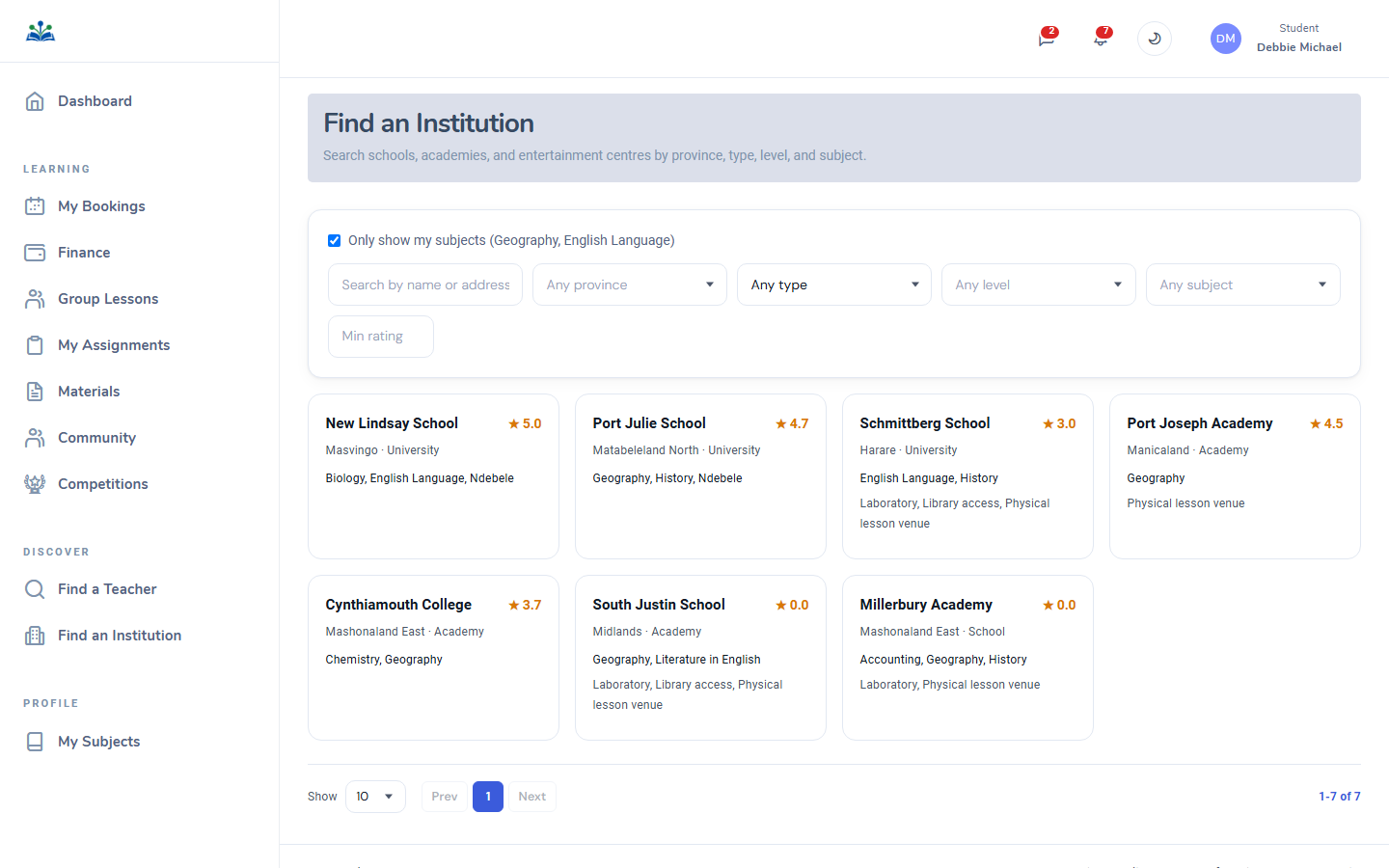
Open DISCOVER → Find an Institution. The filters are province, type (School, Academy, Entertainment centre, University), level and subject, plus the Only show my subjects switch.
Each card shows the institution's name, rating, place, type, the subjects it offers, and badges for what it has: for example Library access, Laboratory or Physical lesson venue.
Not book the institution itself. Its venue can host a physical lesson with a partnered teacher, and you pick it when you book that teacher.
Individual lessons
Book the institution for a one-to-one lesson. Someone at the institution gives your lesson to one of its teachers, who must confirm it before you are asked to pay.
Group lessons
Join group lessons the institution schedules.
The page always has Message (ask first) and Book this institution, but a booking is only accepted when the platform allows institution bookings. If it is not allowed (the default), use the institution as a venue instead.
Note
A lesson booked with an institution is paid to the institution. You still pay through EduConnect, never in cash to a person.
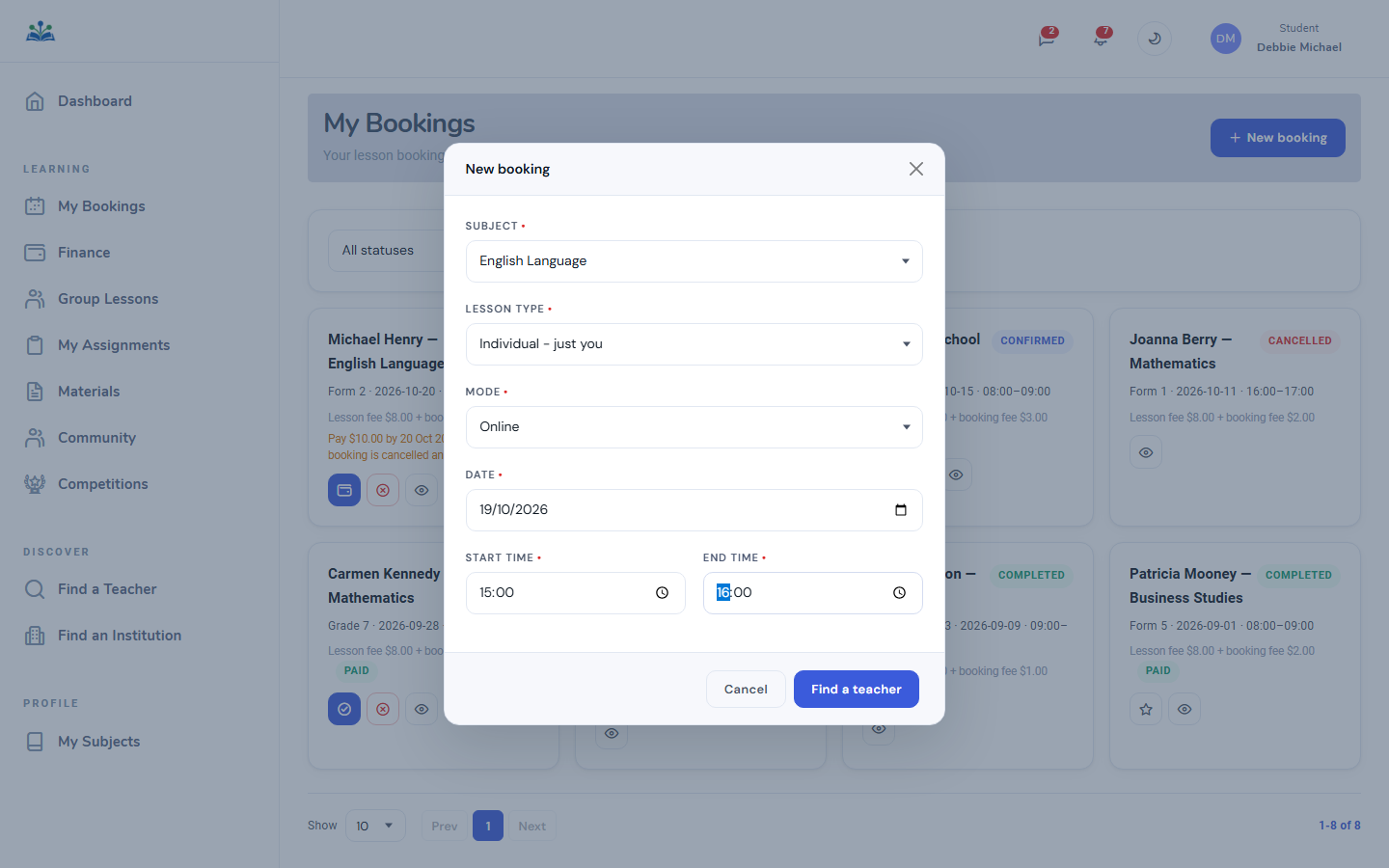
There are two ways to book a one-to-one lesson. Use New booking when you know when you want a lesson; use Book this teacher when you already know who you want.
Choose the subject (from your saved subjects), the lesson type, the mode, the date and the start and end time.
Press Find a teacher.
You see every teacher who teaches that subject at your level and is free at that time. For an online lesson, choose the video call type first, then press Book on a teacher.
Video call: Standard (audio and screen sharing, always included) or Premium (full camera video). Premium may cost extra per lesson hour; the form says included or +$… /hour.
Physical
Location: A partnered institution's venue, or My home (a home visit, only if the teacher offers it and the platform allows it). For a venue you choose the institution, and may tick extra facilities, each with its own price per hour. For a home visit you type your home address.
Note
A venue has its own venue fee per hour, added automatically. You see it on the form: "Venue fee: $…/hr (added automatically)." A group lesson held physically is always at a venue.
You cannot book or join anything until it is settled. See Owing money.
Your wallet is restricted after repeated failures
After several late cancellations or no-shows in a short time you must have enough in your wallet to cover the whole booking before you can book. See Cancelling and no-shows.
The teacher has something at that time
Pick another time or another teacher.
Examination board mismatch
By default a lesson must be on your board. Check your profile.