Confirming your lesson and leaving a review
Why you are asked to confirm the lesson, how to do it, and how reviews work.
The teacher is only paid once the lesson is confirmed complete. Your confirmation is how you tell EduConnect that the lesson really happened, and it protects you: until it is confirmed, your money is held.
Confirm that the lesson happened
After the lesson, open it from My Bookings. When the lesson is paid, a Confirm complete button appears (a tick in a circle).

- Press the Confirm complete button.
- Read "Confirm that your lesson with … happened?" and press Confirm complete.
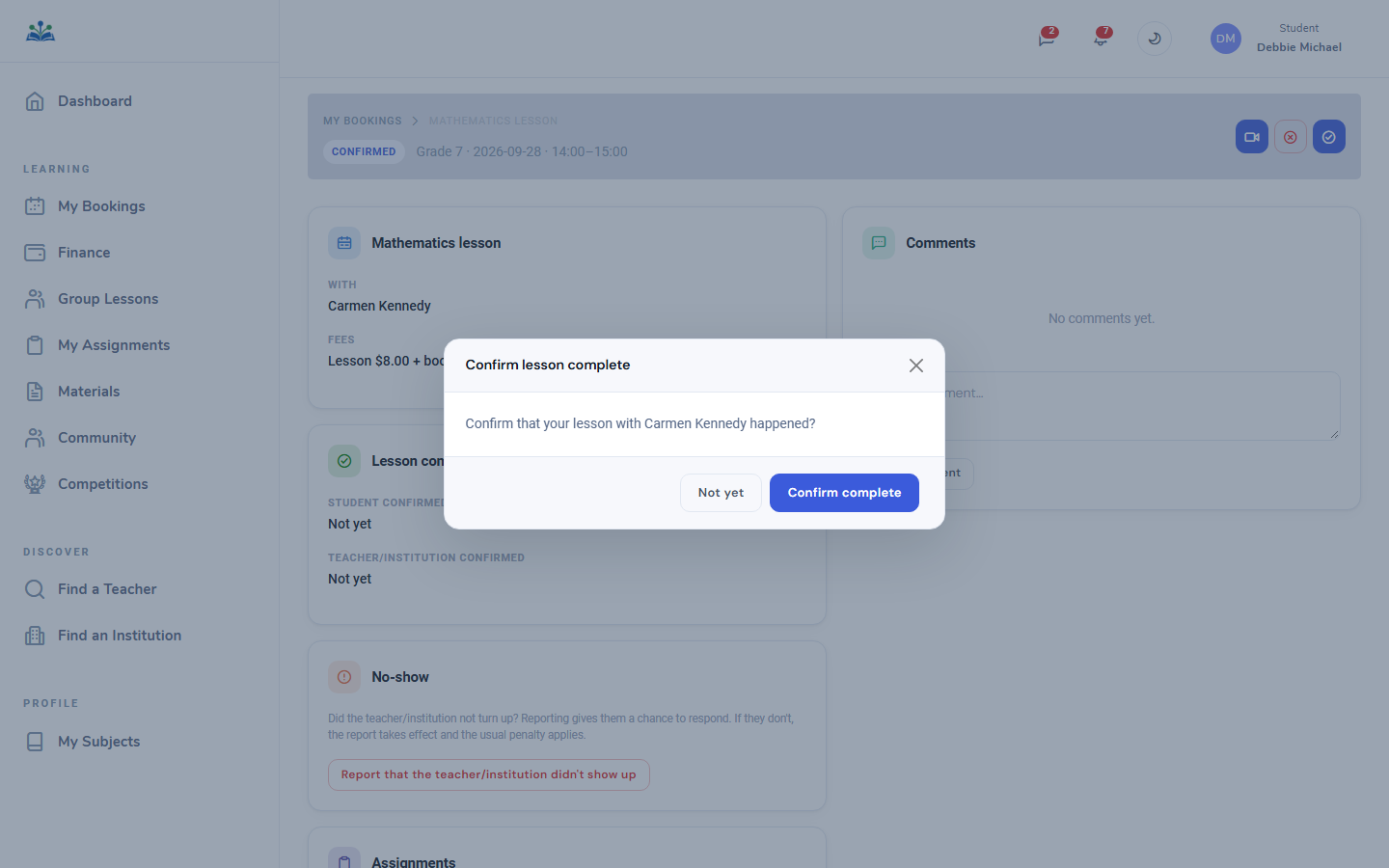
The Lesson completion box shows two lines, STUDENT CONFIRMED and TEACHER/INSTITUTION CONFIRMED, each Not yet or the time it was done.
Who has to confirm?
Administrators choose one rule for the whole platform:
| Rule | When the teacher is paid | What you see |
|---|---|---|
| Both student and teacher must confirm (default) | When you and the teacher have both confirmed. | A button for your side. |
| Only the student confirms | When you confirm. | A button for your side. |
| Only the teacher confirms | When the teacher confirms. | No button: nothing to do. |
Warning
Only confirm a lesson that really happened. If it did not, do not confirm: report the no-show instead (see Cancelling and no-shows).
If you forget, the teacher can ask an administrator to release the payout after a waiting period (48 hours after the lesson by default). So it is better to confirm promptly, and use Comments if there is anything an administrator should know.
Leave a review
Once a lesson is completed, a star button (Leave a review) appears.
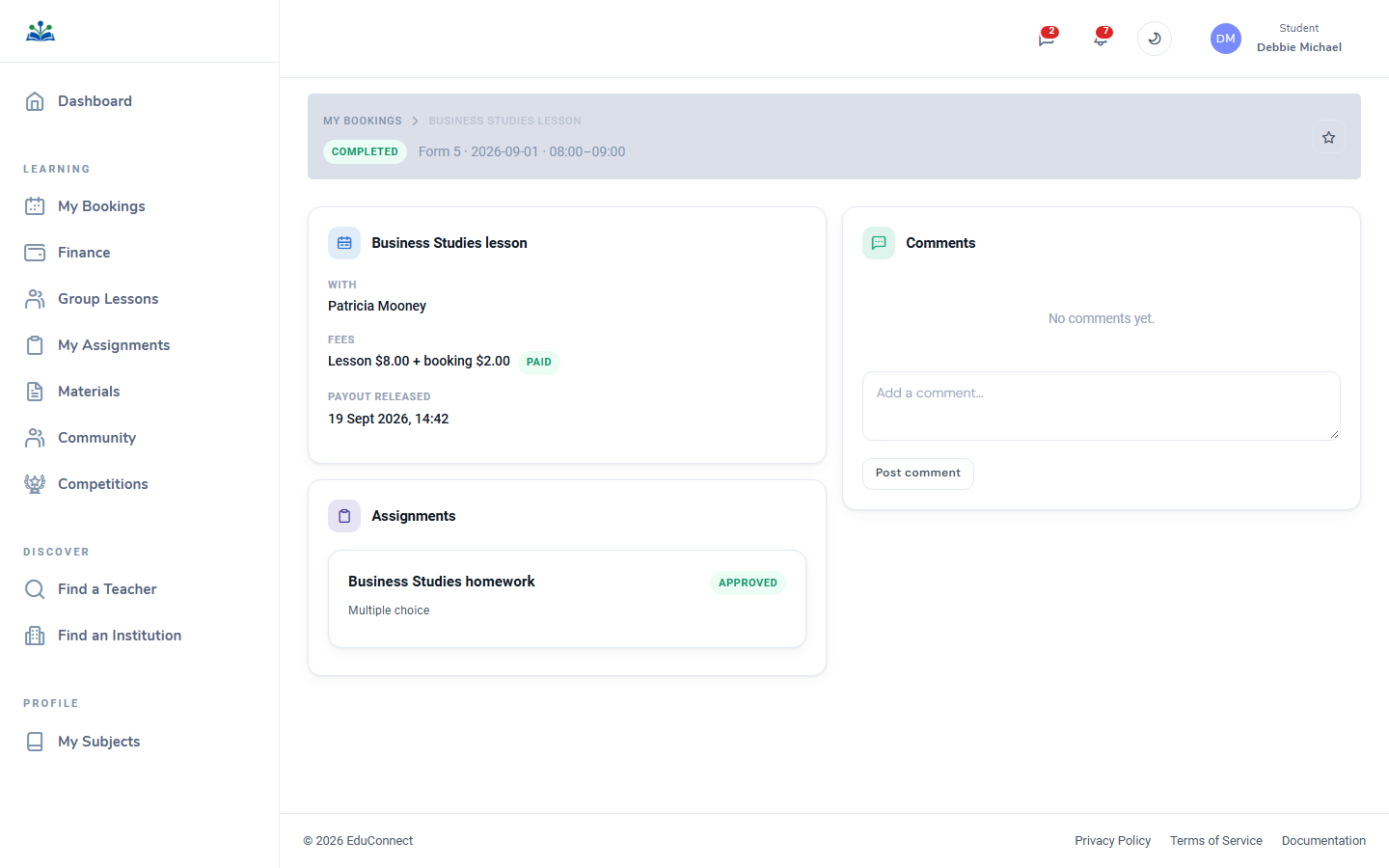
- Press Leave a review.
- Choose a rating from 1 to 5 stars and, if you like, write a comment.
- Press Submit review.

- Your rating joins the teacher's average, shown on their page. Other students use it to choose.
- You can review a lesson once.
- Be honest and fair. Write about the lesson, not about the person.
Comments
Log in to read and add comments on this page.
Log in