Assignments (homework)
Find the homework your teacher posted, hand it in before the deadline and check your grade.
Your teacher can set homework linked to one of your lessons.

LEARNING → My Assignments lists them. Each row shows the subject, the type (Multiple choice, Essay or File upload), the due date and a status such as PENDING (not handed in yet) or APPROVED. Homework also appears on the booking it belongs to, and under Needs your attention on your dashboard when it is due soon.
Hand in an assignment
- Open the assignment.
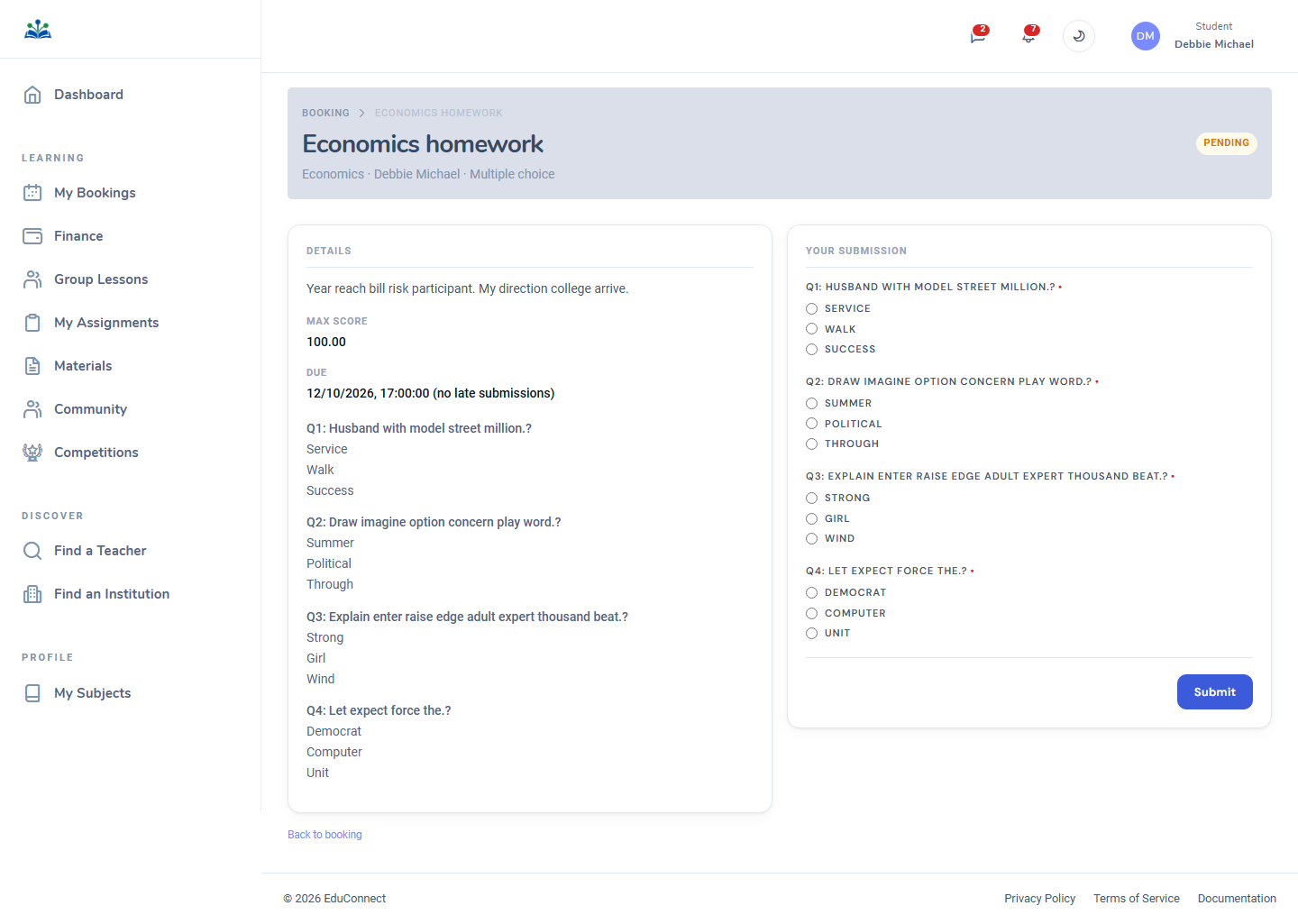
- Read the instructions, the maximum score and the due date.
- Answer under Your submission: choose an option for each question (multiple choice), type your answers (essay), or choose a file to upload (file upload).
- Press Submit.
| Type | How it is marked |
|---|---|
| Multiple choice | Automatically: you see your score straight away. |
| Essay and File upload | By your teacher, who writes feedback with your score. |
The deadline
- The page says when it is due, and whether late submissions are accepted.
- If the deadline has passed and late work is not accepted, the page says "The submission window for this assignment has closed." You cannot hand it in. Ask your teacher.
- If late work is accepted, a hand-in after the deadline shows a Late tag.
Warning
Once you have submitted, check carefully: a submission that has been graded is locked and cannot be changed.
You also get a notification when your teacher posts homework and when it is graded.
Comments
Log in to read and add comments on this page.
Log in