Paying for a lesson
How a booking moves from request to paid lesson, the pay-by time, and every way to pay.
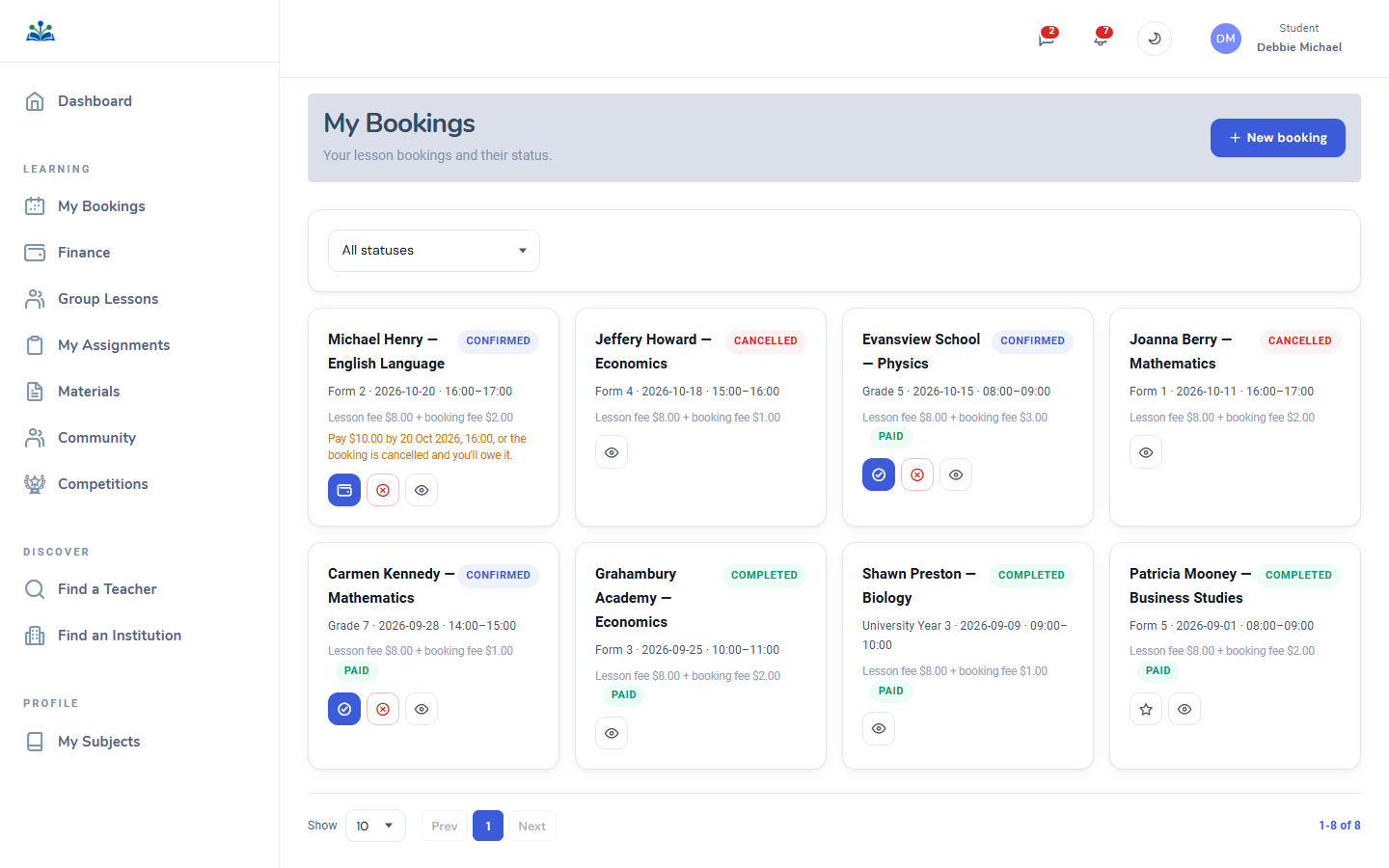
My Bookings lists every lesson you have asked for. Each row shows the teacher, subject, level, date and time, the fees and a status. Use the status filter (All statuses, Pending, Confirmed, Completed, Cancelled, No show) to focus on one kind.
The life of a booking
| Status | Meaning | What you can do |
|---|---|---|
| PENDING | You asked; the teacher has not answered. Nothing is charged. | Wait, or cancel for free. |
| CONFIRMED | The teacher accepted. Now you must pay before the pay-by time. | Pay now, take the lesson, confirm it complete, or cancel (see Cancelling). |
| COMPLETED | The lesson happened and was confirmed. | Leave a review, do the homework. |
| CANCELLED | Declined, cancelled by someone, or not paid in time. | Nothing. |
| NO SHOW | A no-show report was upheld. | See Cancelling and no-shows. |
A teacher who does not answer in time can leave a request pending: you can cancel it for free and book someone else.
The pay-by time
Every confirmed lesson has a pay-by time. The booking page and the list both show it:

"Pay $10.00 by 20 Oct 2026, 16:00, or the booking is cancelled and you'll owe it."
By default you can pay any time up to the start of the lesson, but a platform can ask for payment earlier, for example 24 hours before. The pay-by time is fixed when the teacher confirms, and a lesson confirmed close to its start still gives you at least 60 minutes to pay (never later than the start). You get a reminder a few hours before the deadline.
Warning
If you do not pay by the pay-by time, the booking is cancelled and you owe a fee (the same as a no-show would cost), unless a free pass covers you. Until it is settled you cannot book or join anything. See Owing money.
Pay
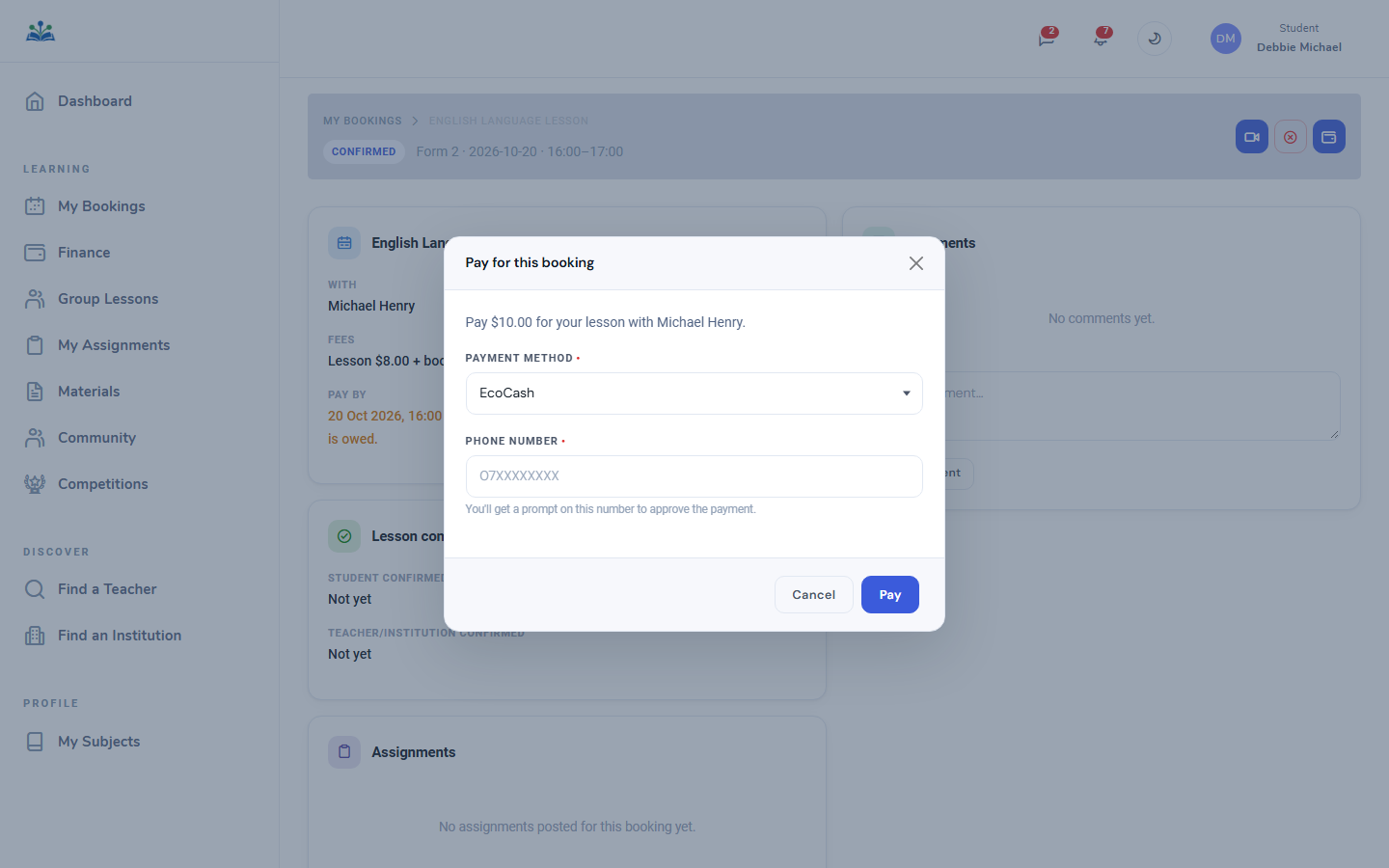
- On the confirmed booking (or its card in My Bookings) press the wallet button (Pay now).
- Choose a payment method.
- For EcoCash, OneMoney or ZIPIT enter the phone number to charge. You will get a prompt on that phone to approve the payment.
- Press Pay.
| Method | How it works |
|---|---|
| Wallet | Offered in My Bookings when your wallet holds enough to cover the whole amount. It is instant. |
| EcoCash, OneMoney, ZIPIT | You get a prompt on your phone. Approve it with your PIN. |
| Visa/Mastercard, PayPal | Open payment page opens a secure page to complete the payment. |
After you press Pay, the page says "This will update automatically once the payment is confirmed - you can close this and check back later too." When it succeeds the booking shows a green PAID tag. A mobile-money prompt can take a little while to reach you.
Tip
Keep some money in your wallet. It lets you pay with one tap, and refunds and compensation are paid there too.
What the amount is made of
The booking shows Lesson $8.00 + booking $2.00: the lesson fee (the teacher's pay, less the platform's commission) plus the booking fee (kept by the platform). An online lesson with Premium video can add a video fee, and a lesson at a venue adds the venue fee. See What a lesson costs.
Comments
Log in to read and add comments on this page.
Log in