Your profile
Finish your profile so teachers and prices match your level and examination board, and know what you can change yourself.
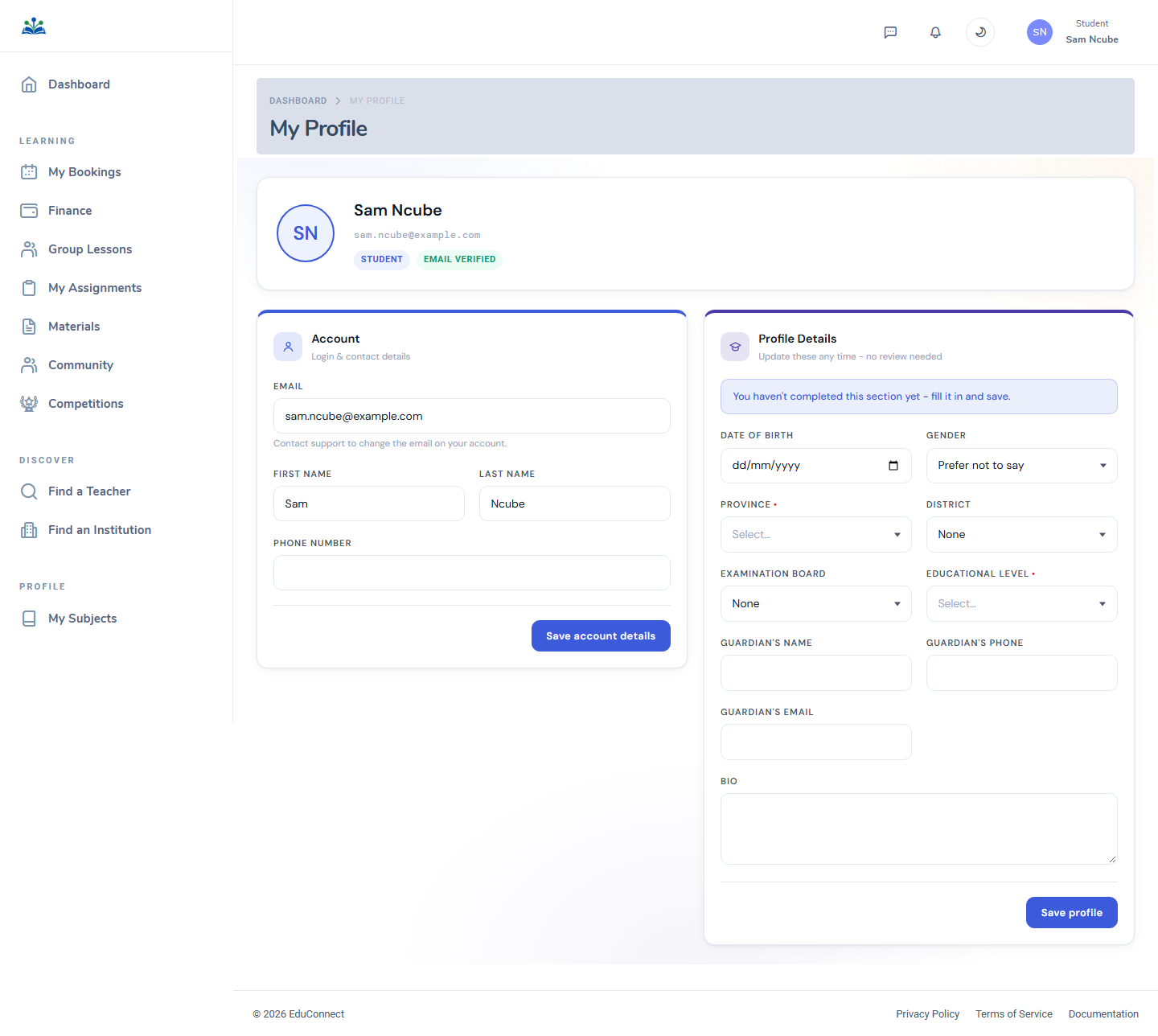
Open your profile from your name at the top right. The first time you log in, it asks you to finish it.
Why it matters
Your educational level and examination board decide which teachers you can find and what a lesson costs, because the price table is by subject, board and level. A booking is made for your level and your board: you do not pick them again each time. Finish this page before you search.
What is on the page
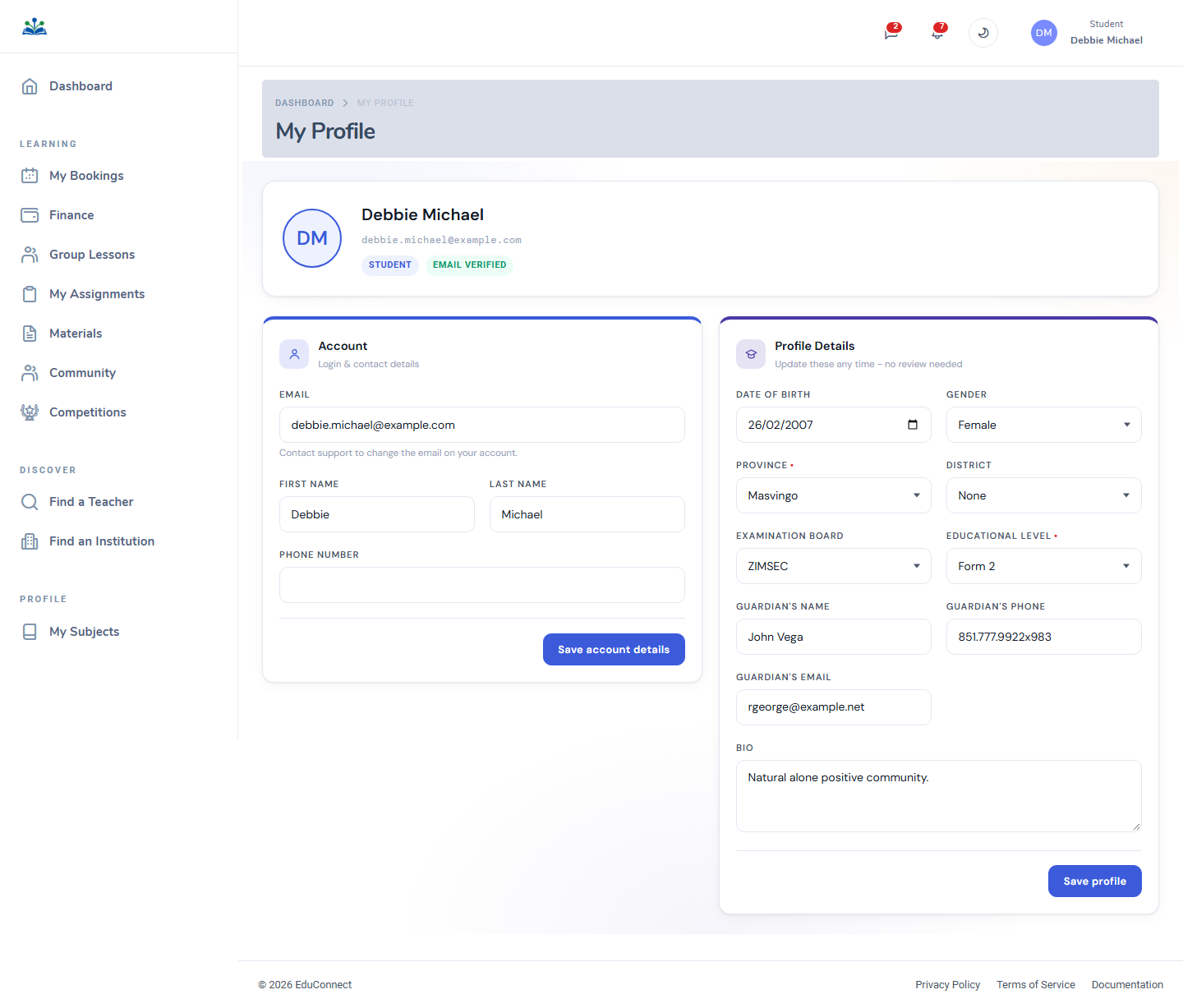
| Box | Field | What to know |
|---|---|---|
| Account | You cannot change it yourself. Contact support. | |
| First name, Last name, Phone number | Yours to change. Press Save account details. | |
| Profile details | Date of birth, Gender | Optional. |
| Province, District | Where you live. Province is required. | |
| Examination board | For example ZIMSEC or Cambridge. Choose the board you are studying for. | |
| Educational level | For example Form 2 or Grade 7. Required. | |
| Guardian's name, phone, email | Optional. Useful if you are a school pupil: it lets a parent or guardian be reached. | |
| Bio | A line about you, if you wish. |
These save straight away when you press Save profile: nothing here needs an administrator's approval.
Tip
Moving up a level at the start of a new school year? Come back and change your educational level so the teachers and prices you see match your new class.
Security
Your profile also holds Two-step login and Change password. See Password and security.
Comments
Log in to read and add comments on this page.
Log in